News & Updates from MJM Manufacturing
MJM News
Equipment investments, certifications, milestones, and updates from Miami’s premier precision sheet metal fabrication facility.
Design & Sourcing · July 2026
Sheet Metal Design for Manufacturability: 7 Ways to Reduce Cost Before You Send an RFQ
After 47 years of fabricating precision sheet metal parts, we see the same handful of design decisions quietly drive up cost, stretch lead times, and trigger avoidable revisions. The good news: almost all of them are easy to fix before a drawing ever reaches a supplier.
This is a practical, floor-level look at the most common issues we catch during design for manufacturability (DFM) review — and how engineers, buyers, and OEMs can address them up front to get faster quotes and better parts.
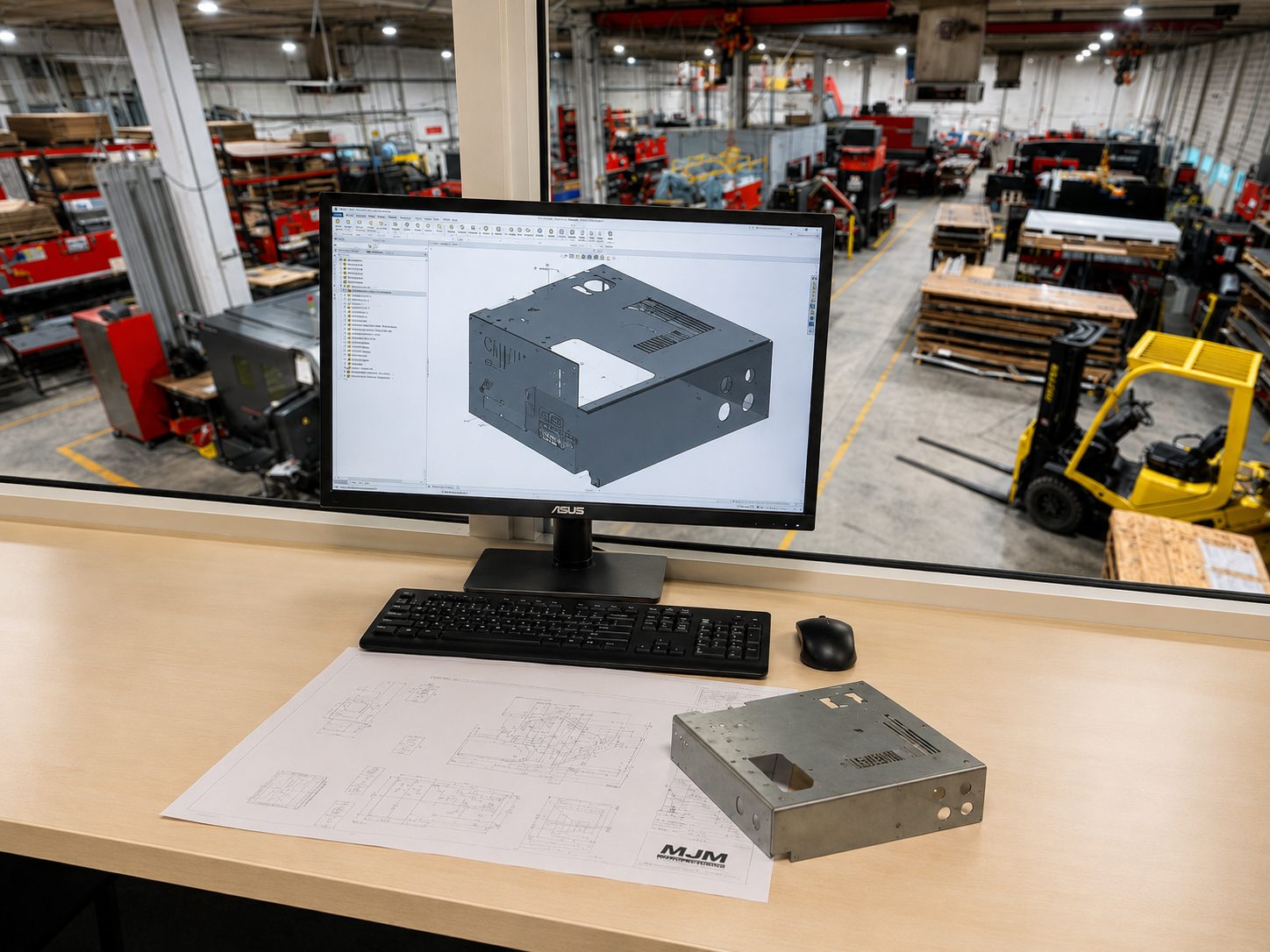
MJM Manufacturing reviews part designs for manufacturability before production — flagging tolerance, forming, hardware, and finishing issues while they’re still inexpensive to change.
The earlier a design issue is caught, the cheaper it is to fix. A change in CAD costs minutes. The same change after tooling, first article, or a production run costs days — and a re-quote.
Mistake #1: Over-Tolerancing Every Dimension
Tight tolerances on every feature feel “safe,” but they add inspection time, scrap risk, and cost — often with no benefit to how the part actually functions. Tolerances should be tight only where form, fit, or function genuinely require it.
Our laser systems hold approximately ±0.005″, and forming holds about ±0.5° on bend angle and ±0.010″ on flange length. Designing to those realistic process capabilities — and reserving tighter callouts for the few features that truly need them — keeps parts producible and affordable. When critical dimensions do matter, we verify them with CMM, optical inspection, and full FAI reports.
Mistake #2: Holes, Slots, or Hardware Too Close to Bends
When holes, slots, or PEM hardware sit too close to a bend line, forming can distort or deform them — leading to rework, redesign, or out-of-spec parts. As a rule of thumb, keep holes at least 2–3 material thicknesses (plus the bend radius) away from the bend.
The same applies to pressed-in hardware. We install PEM fasteners and cage nuts on four Haeger presses, but they need adequate edge distance and clearance from bends to seat correctly. Flagging hardware locations early is one of the most common — and most preventable — DFM fixes we make.
Mistake #3: Choosing Material Without Considering Forming, Welding, Finish, and Cost
Material isn’t just a strength decision — it drives how a part forms, welds, finishes, and prices out. A grade that looks ideal on a datasheet can crack at a tight bend, weld poorly, or carry a long lead time.
We routinely process aluminum, stainless steel, carbon steel, galvanized and galvanneal, copper, brass, titanium, and beryllium copper — plus non-metallics like polycarbonate, G-10/FR4, and Delrin. If you’re unsure which fits your forming, welding, and finishing requirements, that’s exactly the kind of trade-off we help weigh before you commit a drawing.
Mistake #4: Not Specifying the Final Finish Early
Finish is often treated as an afterthought, but powder coat, anodize, passivation, plating, grain direction, masking, and cosmetic requirements all influence how a part should be built — and sometimes how it’s cut and handled from the start.
For example, parts headed for a cosmetic finish benefit from clean, oxide-free nitrogen laser-cut edges and careful handling. Calling out the finish, masked areas, and any cosmetic “show” surfaces on the drawing prevents surprises — and avoids reworking parts that were technically in spec but cosmetically wrong.
Mistake #5: Sending Incomplete RFQs
Incomplete packages are the #1 cause of slow quotes. Every missing detail becomes a question, and every question adds a day. A complete RFQ lets us quote accurately the first time. Here’s the checklist we’d love to receive with every part:
• 2D drawing (PDF) with critical dimensions and notes
• 3D STEP file of the part
• DXF flat if available
• Material and thickness
• Quantity and estimated annual volume
• Finish or coating (and masked/cosmetic areas)
• Critical tolerances only — called out where they matter
• Welding notes and any weld-finish requirements
• PEM / hardware callouts
• Inspection or FAI requirements
• Delivery date and application / use case
Mistake #6: Designing Parts That Require Unnecessary Secondary Operations
Every extra operation adds labor, handling, and lead time. Often a small design change removes one entirely — a formed feature replacing a welded bracket, a louver replacing a separate vent, or a repeating pattern that’s better suited to turret punching than individual laser hits.
Because we run laser cutting, CNC forming, welding, machining, hardware insertion, and finishing under one roof as part of our precision sheet metal fabrication services, we can see across the whole process and suggest where consolidating or eliminating an operation saves real money.
Mistake #7: Waiting Too Long to Involve the Fabricator
The single most expensive mistake is locking a design before anyone who has to build it weighs in. By then, the cost-saving opportunities — material, tolerances, hardware, finish, and process choices — are already baked in.
Send us the drawings early. With AS9100, ISO 9001, ITAR registration, and AWS D17.1 aerospace welding behind us, our team can review a design for manufacturability and flag cost, forming, welding, tolerance, and finishing issues while they’re still easy — and inexpensive — to change.
Get a Manufacturability Review Before You Release
Before you finalize your next sheet metal package, send MJM your drawings for a manufacturability review. We’ll help identify cost, forming, welding, tolerance, and finishing issues before they become expensive production problems. Email sales@mjmmfg.com or call (305) 620-2020.
Sheet Metal DFM — FAQ
What is design for manufacturability (DFM) in sheet metal?
DFM is reviewing a part’s design against how it will actually be cut, formed, welded, and finished — before production starts. The goal is to catch tolerance, bend, hardware, material, and finish issues early, when they cost minutes to fix instead of days. At MJM we offer DFM review as a standard part of our process.
How close can holes be to a bend in sheet metal?
A common guideline is to keep holes and slots at least 2–3 material thicknesses (plus the bend radius) away from the bend line. Too close, and forming can distort the feature. PEM hardware needs similar clearance from bends and edges to seat properly — something we flag during DFM review.
What files should I include in a sheet metal RFQ?
For the fastest, most accurate quote, include a 2D PDF drawing, a 3D STEP file, and a DXF flat if you have one — along with material and thickness, quantity, finish, critical tolerances, welding notes, hardware callouts, inspection/FAI requirements, and your delivery date. A complete package means fewer back-and-forth questions and a faster quote.
Why does over-tolerancing increase cost?
Tight tolerances on every dimension add inspection time, tooling demands, and scrap risk — even on features where the part would function fine with standard tolerances. Designing to realistic process capabilities (roughly ±0.005″ on our lasers) and reserving tight callouts for truly critical features keeps parts both producible and affordable.
When should I involve a fabricator in my design?
As early as possible — ideally before the design is locked. Once tolerances, material, hardware, and finish are fixed, most cost-saving opportunities are already gone. Sharing drawings early lets us suggest changes that reduce cost and lead time while they’re still easy to make.
Sheet Metal Design
RFQ Checklist
Cost Reduction
Precision Sheet Metal Fabrication
Ready to Work With MJM?
47 years of precision. 80+ employees. 37,000 sq ft. Get a quote within 24–48 hours at sales@mjmmfg.com.
MJM Manufacturing, Inc. | AS9100 Certified | ISO 9001 Certified | ITAR Registered | DBE Certified | AWS D17.1 Aerospace Welding | Lloyd’s Register LR 33932 | 5205 NW 161 Street, Miami Gardens, FL 33014 | (305) 620-2020